
A Guide for explaining what ADA Compliance is in 2026
If your organization has a website (and let’s be honest, who doesn’t these days?), you need to understand ADA website compliance. It’s not just legal jargon or a checkbox for your IT department. It’s about making sure everyone can actually use your website, including the 70+ million Americans living with disabilities, ranging from vision, hearing, and dual sensory loss.
And here’s the thing: 2026 is shaping up to be a watershed year. The Department of Justice dropped a major rule in April 2024 that finally puts teeth behind digital accessibility requirements, and the first big compliance deadline hits April 24, 2026. Meanwhile, accessibility lawsuits are projected to top 5,500 federal filings this year alone.
Whether you’re running a government agency, a healthcare practice, an online store, or any business that serves the public, this guide breaks down what you need to know and, more importantly, what you need to do.
Why This Matters Right Now
Here’s the reality check: 94.8% of the top one million websites fail basic accessibility tests, according to WebAIM’s 2025 report. That’s not a typo. Nearly every website out there has accessibility problems.
And the legal landscape has fundamentally shifted. The April 24, 2026 deadline for state and local governments isn’t some distant concern anymore. AI-powered tools have made it incredibly easy for individuals to identify accessibility violations and file complaints. Plaintiff attorneys are expanding into new states. The 37% surge in lawsuits during the first half of 2025 wasn’t a fluke; it’s a trend.
Beyond the legal risk, there’s a practical reality: when your website isn’t accessible, you’re turning away customers, constituents, patients, or students who simply can’t use it. That’s bad for business and bad for the people you’re supposed to serve.
A Quick History of the ADA and Digital Access
The Americans with Disabilities Act (ADA) was signed into law in 1990, originally focused on physical spaces like ramps, accessible restrooms, and workplace accommodations. Nobody was thinking about websites back then because, well, the internet barely existed.
But as our lives moved online, the ADA moved with it. Courts started ruling that if your physical store needs to be accessible, your digital storefront does too. The law’s core principles haven’t changed: equal opportunity, full participation, independent living, economic self-sufficiency, and non-discrimination. What’s changed is how those principles apply to the digital world.
The 2026 Deadlines You Need to Know
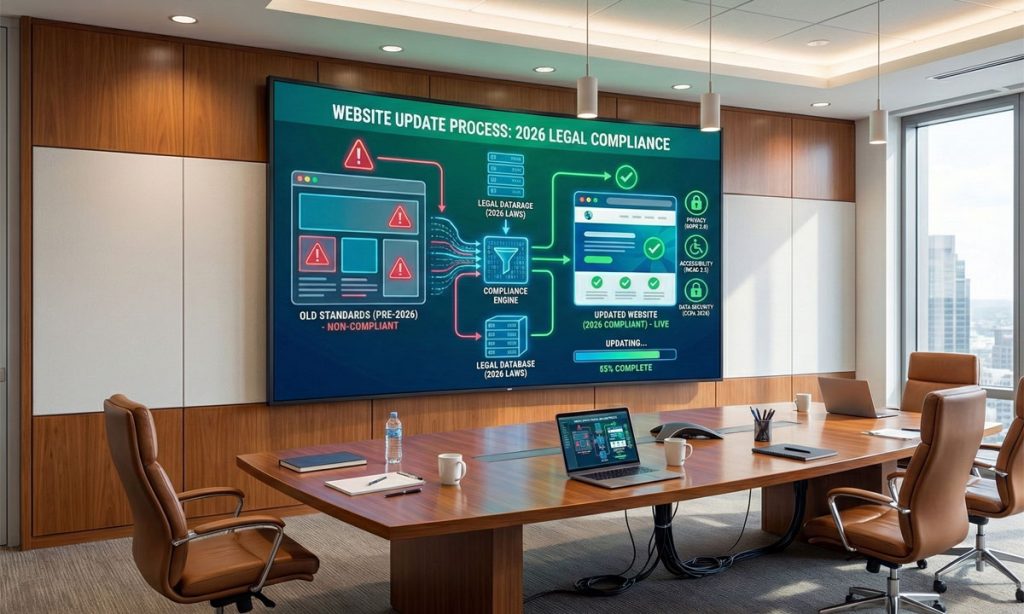
On April 24, 2024, the Department of Justice stopped playing nice. They published a final rule under Title II of the ADA that spells out exactly what digital accessibility means for public entities, and they put real deadlines on the calendar.
Here’s who needs to comply and when for 2026 and 2027:
| Who | Deadline |
|---|---|
| – State and local governments serving 50,000+ people | April 24, 2026 |
| – Most public universities and colleges Examples: – State and local government offices that provide benefits and/or social services, such as food assistance, health insurance, or employment services – Public schools, community colleges, and public universities – State and local police departments – State and local courts – State and local elections offices – Public hospitals and public healthcare clinics – Public parks and recreation programs – Public libraries – Public transit agencies | April 24, 2026 |
| – Smaller governments and special districts – Special district government – State or local governments with a population of 0-49,999 people | April 26, 2027 |
The rule covers everything digital: websites, mobile apps, PDFs, online forms, learning management systems, citizen portals, you name it. If it’s digital and it’s how you deliver services, it needs to meet WCAG 2.1 Level AA standards.
What “Accessible” Actually Means (The WCAG Standards)
The ADA doesn’t tell you exactly how to make a website accessible. That’s where WCAG comes in, the Web Content Accessibility Guidelines developed by the World Wide Web Consortium. Courts and regulators have adopted WCAG as the measuring stick for whether your site passes or fails.
There are three levels: A (bare minimum), AA (the standard everyone aims for), and AAA (gold standard, but not required everywhere). For legal purposes, WCAG 2.1 Level AA is what the DOJ adopted for Title II, and it’s what courts reference in most lawsuits.
WCAG 2.2 came out in October 2023 and is fully backward compatible. If you’re building something new, aim for 2.2 to future-proof your work.
Four Principles
WCAG is built around four principles. Your website needs to be:
Perceivable: Users need to be able to perceive the information. That means alt text for images, captions for videos, sufficient color contrast (4.5:1 for normal text), and text that can be resized without breaking.
Operable: Everything needs to work with a keyboard, not just a mouse. Users need enough time to complete tasks. No flashing content that triggers seizures. Clear, consistent navigation.
Understandable: Content should be readable. Forms should have clear labels. Errors should be explained. The site should behave predictably.
Robust: The code needs to work with assistive technologies like screen readers. Valid HTML, proper ARIA labels, and compatibility across browsers and devices.
Who Actually Needs to Comply?
The short answer: probably you if your business is online and you have a website.
Government entities (Title II) have the clearest requirements. Municipal websites, state agencies, public universities, courts, libraries, and public transit systems all need to meet the 2026/2027 deadlines.
Private businesses (Title III) don’t have an official DOJ rule yet, but that hasn’t stopped the lawsuits. If you’re a “place of public accommodation,” which includes retail stores, restaurants, hotels, healthcare providers, banks, and basically any business that serves the public, courts are increasingly ruling that your website needs to be accessible. Over 4,000 lawsuits were filed in 2024 alone, and 2025 is on track to be even higher.
Federal contractors have their own requirements under Section 508 of the Rehabilitation Act, which aligns with WCAG 2.1 Level AA.
The Lawsuit Numbers Are Staggering
Let’s talk about the legal reality, because the numbers tell a story.
In the first half of 2025 alone, 2,019 federal lawsuits were filed over website accessibility, a 37% jump from the same period in 2024. Full-year projections point to nearly 5,000 lawsuits for 2025, and 2026 could top 5,500. Since 2018, over 25,000 lawsuits have been filed involving digital accessibility.
Where are these cases coming from? New York leads with about 32% of filings, followed by Florida (24%), California (19%), and Illinois, which saw a jaw-dropping 746% increase year over year. Plaintiff attorneys are actively expanding into new states as courts in traditional hotspots tighten standing requirements.
E-commerce takes the biggest hit: 69% of web accessibility lawsuits target online stores. Restaurants, fashion retailers, healthcare providers, and financial services round out the most-targeted industries.
AI Changed the Game
Here’s a development that should concern every business owner: 40% of federal ADA Title III lawsuits are now filed by pro se plaintiffs, people representing themselves without an attorney. Why? AI tools like ChatGPT and Copilot have made it trivially easy to draft a complaint. Someone can identify accessibility issues on your website and file a lawsuit the same day.
Some courts have started sanctioning litigants for submitting AI-generated briefs with fabricated case citations, but enforcement is inconsistent. The overall trend is clear: the barrier to suing over accessibility has never been lower.
Let’s Clear Up Some Misconceptions
“We’re too small to get sued.” Actually, 64% of lawsuits in the first half of 2025 targeted companies with revenues under $25 million. Plaintiff attorneys know smaller businesses are more likely to settle quickly.
“We installed an overlay widget, so we’re covered.” This is perhaps the most dangerous misconception. In the first half of 2025, 22.6% of lawsuits, that’s 456 cases, targeted websites that already had accessibility widgets installed. These overlays can’t fix underlying code problems, and the Federal Trade Commission hit a major overlay provider with a $1 million settlement in 2025 for misleading businesses about what their product could actually do.
“We fixed accessibility once, so we’re done.” Accessibility isn’t a one-time project. Every new page, every content update, every design change can introduce new issues. You need ongoing monitoring and maintenance.
“Our site has to be perfect or we’ll get sued.” Courts generally look for good faith efforts, not perfection. What matters is demonstrating that you’ve taken reasonable steps and can document your compliance efforts.
“Accessibility ruins design.” Not even close. Modern accessibility practices actually improve user experience for everyone. Accessible sites tend to perform better in SEO, load faster, and work better on mobile.
“We ran automated tests and passed, so we’re accessible.” Automated tools catch about 30% of accessibility issues. The other 70% require human testing with actual assistive technologies. Passing an automated scan is a start, not a finish line.
The Upside of Getting This Right
Beyond avoiding lawsuits (which is reason enough), accessibility actually helps your business.
A 2025 SEMRush study found that accessible websites saw a 23% boost in organic traffic, ranked for 27% more keywords, and had 19% stronger domain authority scores. That’s because many accessibility practices, like proper heading structures, alt text, and semantic HTML, are also SEO best practices.
You’re also expanding your potential market. There are over 70 million Americans with disabilities, and many more with temporary or situational impairments. An accessible site works better for everyone: the person using a screen reader, the person browsing on their phone in bright sunlight, and the person with a broken arm trying to navigate with one hand.
Accessible sites also tend to have cleaner code, faster load times, and better cross-browser compatibility. They’re easier to maintain and update. The technical discipline required for accessibility generally results in higher-quality development overall.
How to Actually Get Compliant
There’s no magic button here, but there is a logical approach.
Start by figuring out where you stand. Use automated tools like WAVE, Axe, or Google Lighthouse to scan your site. They’ll flag obvious issues like missing alt text, poor color contrast, and broken heading structures. Then have someone navigate your entire site using only a keyboard, no mouse. Try it with a screen reader like NVDA (it’s free). You’ll quickly discover what’s actually broken versus what just needs polish.
Prioritize based on impact. Fix the things that completely block access first: checkout flows that can’t be completed, forms without labels, videos without captions. Then move to high-traffic pages and common user paths. Save the edge cases for later.
Build it into your process. Assign someone to own accessibility. Create standards for your developers and content creators. Train people. Make testing part of your regular workflow, not a once-a-year audit.
Keep records of everything. Audit reports, remediation timelines, training logs, accessibility statements. If you ever face a lawsuit or DOJ inquiry, this documentation is your evidence of good faith effort.
What to Focus On (By Industry)
Different industries have different pain points.
E-commerce and retail sites need to nail the checkout flow. If someone using a screen reader can’t complete a purchase, you’ve got a problem. Product images need alt text, filters need to work with keyboards, and error messages need to actually explain what went wrong.
Healthcare organizations should prioritize patient portals, appointment scheduling, and telehealth platforms. People need to access their health information independently, and HIPAA compliance doesn’t exempt you from ADA compliance.
Education means learning management systems, course materials, and student portals. The April 2026 deadline hits public universities hard. Every PDF syllabus, every recorded lecture, every online quiz needs to be accessible.
Financial services face the challenge of balancing security with accessibility. Multi-factor authentication, account management, and transaction flows all need to work for users with disabilities.
Government agencies are directly in the crosshairs of the Title II rule. Public information, forms, emergency communications, and citizen services all need to meet WCAG 2.1 AA by the deadline.
If You Serve International Customers
The European Accessibility Act took effect on June 28, 2025. If you sell products or services to EU customers, you’re subject to similar WCAG 2.1 AA requirements. The good news is that standards are converging globally, so building for U.S. compliance generally gets you most of the way to international compliance, too.
What’s Coming Next
The regulatory direction is clear: more requirements, not fewer.
A Title III rule for private businesses seems likely, probably adopting the same WCAG 2.1 AA standard as Title II. WCAG 2.2 is already being referenced in newer guidance, and WCAG 3.0 is in development with an increased focus on cognitive accessibility.
AI is changing both sides of the equation. On one hand, tools for automated alt text generation and accessibility testing are getting better. On the other, AI is making it easier for plaintiffs to identify issues and file lawsuits.
The organizations that treat accessibility as a fundamental part of their digital strategy, rather than a legal nuisance to minimize, will be the ones best positioned as these trends accelerate.
Where Do You Go From Here?
If you’ve made it this far, you probably realize that accessibility isn’t something you can ignore and hope goes away. The April 2026 deadline for government entities is real, and private sector lawsuits aren’t slowing down.
The good news is that you don’t have to figure this out overnight. Start with an audit. Run some automated scans using free tools like WAVE or Google Lighthouse to get a sense of where you stand. But remember, those tools only catch about 30% of issues, so budget for manual testing by someone who actually knows what they’re doing.
From there, prioritize ruthlessly. Fix the things that completely block access first: forms that can’t be submitted with a keyboard, images with no alt text, videos without captions. Then work your way through the less critical issues.
Document everything. If you do get a demand letter (and statistically, more businesses will), being able to show that you’ve been actively working on accessibility in good faith makes a real difference in how those conversations go.
And think of this as an ongoing program, not a one-time project. Every time someone adds a new page, uploads a PDF, or changes the navigation, there’s potential for new accessibility issues. Build testing into your regular workflow.
The organizations that will be best positioned in 2026 and beyond are the ones treating accessibility as a core part of how they build and maintain their digital presence, not as a legal checkbox to satisfy once and forget.
This guide is for informational purposes only and isn’t legal advice. Talk to a qualified attorney about your specific compliance obligations.
Last Updated: January 2026